Selenium IDE alternatives for Chrome (2026)
Looking for the Selenium IDE Chrome extension itself? See what happened to it.
If you open the Chrome Web Store looking for Selenium IDE today, you won't find it. Here is what happened, and the realistic options for keeping your recorded .side tests alive.
What happened to Selenium IDE in Chrome
- The Selenium IDE Chrome extension was built on Manifest V2, Chrome's older extension platform. It had not been updated since late 2021.
- Chrome turned off Manifest V2 extensions in July 2025 (Chrome 138), so the extension stopped running.
- On August 31, 2026 the Chrome Web Store removed the remaining Manifest V2 listings, so it can no longer be installed on a new computer either.
- The Selenium project's next version, Selenium IDE 4, is a separate desktop app rather than a browser extension. Its last release was a beta in July 2024, and Selenium contributors have said on the selenium-users list that neither the extension nor the app is maintained any more.
Your .side files are still fine — they are plain JSON. You just need something that can run them.
Your options, compared
| Option | Opens .side files | Records new tests | Where it runs | Turns tests into code | Cost |
|---|---|---|---|---|---|
| Selenium IDE 4 (desktop beta, last release July 2024) | Yes | Yes | Its own desktop app | Selenium WebDriver languages | Free |
| Selenium IDE for Firefox | Yes | Yes | Firefox only | Selenium WebDriver languages | Free |
| selenium-side-runner | Yes | No | Command line, with WebDriver | — | Free |
| UI.Vision RPA | Imports them into its own format | Yes | Chrome and Firefox extension | No Playwright export | Free, PRO from $299/year |
| Chrome DevTools Recorder | No | Yes | Built into Chrome | Puppeteer, JSON (more through Recorder extensions) | Free |
| SideReplay | Yes, as they are | Yes | Chrome side panel | Playwright Test | Free, Pro $9/month |
Which one fits you
- You want to stay with the Selenium project's own tools and don't mind that they are no longer updated: try Selenium IDE 4, or the Firefox add-on.
- You only need to run existing tests in CI: selenium-side-runner runs
.sidefiles from the command line. - You also automate desktop apps or need OCR: UI.Vision RPA is a broad RPA tool that can import Selenium IDE projects.
- You are recording brand-new flows and don't care about .side: Chrome's built-in DevTools Recorder is free and already installed.
- You want to keep editing and running your .side tests in Chrome, and move them to Playwright when you are ready: that is exactly what SideReplay was built for.
- You used Katalon Recorder: it is no longer maintained either. SideReplay opens the HTML test suites it saved — see the Katalon Recorder alternative guide.
Keep running your .side tests with SideReplay
- Install SideReplay from the Chrome Web Store.
- Click the toolbar icon to open the side panel, then Open your
.sidefile. - Click Run test. All 93 Selenium IDE commands are supported, including control flow, alerts, iframes and new windows. If a step can't run, SideReplay tells you before the test starts.
- If the page changed since you recorded, broken locators are healed from the other locators saved in the file, and one click updates the test.
- When you want to move to code, export to Playwright — or try the free online converter first.
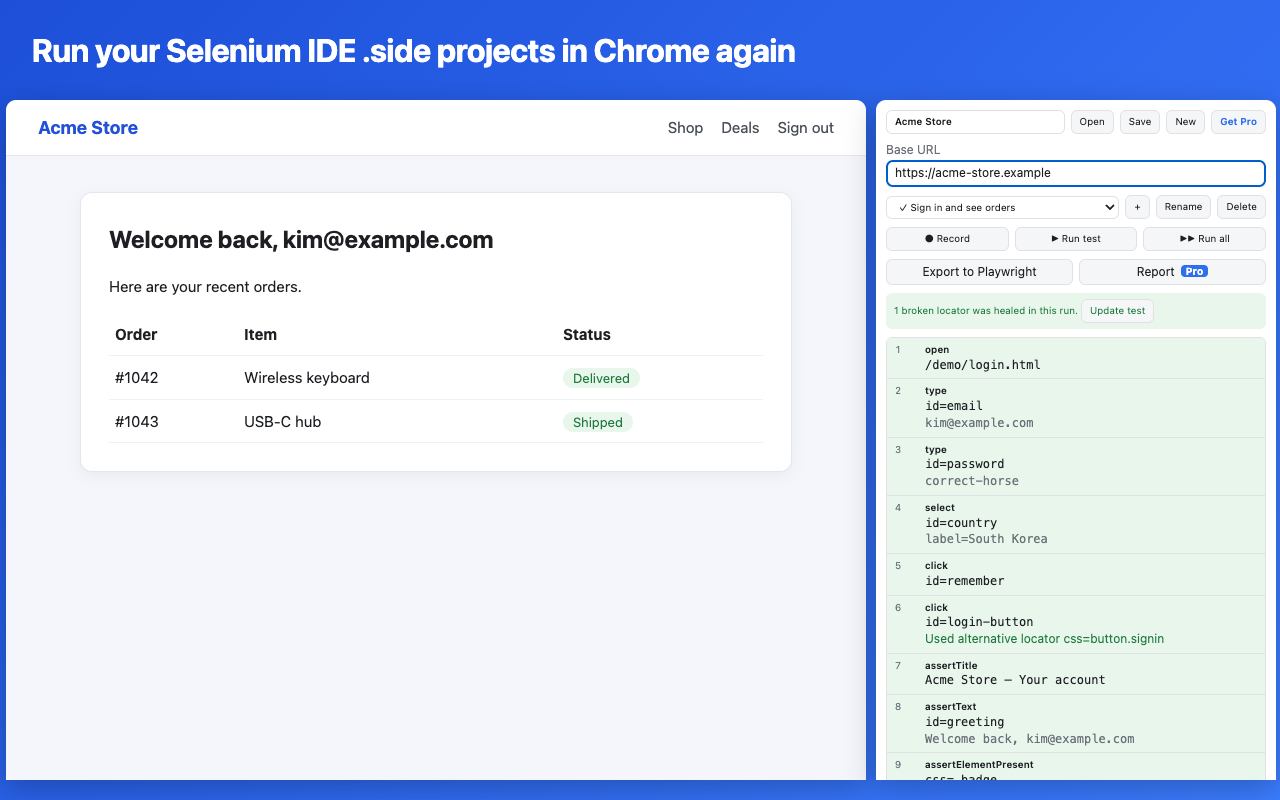
Free for recording, playback and healing. No account, and your tests never leave your browser.
Add SideReplay to Chrome
Add SideReplay to Chrome
Details about other tools were checked in October 2026 and may change. If something here is out of date, let us know.