Selenium IDE extension for Chrome: what happened, and what to use now
.side tests in Chrome, install a Manifest V3 extension that reads the same files — such as SideReplay, which is free for recording and playback. If you can switch browsers, Selenium IDE for Firefox still exists.Add SideReplay to Chrome
SideReplay is an independent extension, not the official Selenium IDE. It opens the same .side project files.
What you see when you try to install it
Searching the Chrome Web Store for "Selenium IDE" no longer finds the official extension. People who still had it installed found it disabled, and attempts to install it are refused because it doesn't meet Chrome's current requirements for extensions. Links in older tutorials and on the Selenium website now lead to a store page that no longer exists.
Why it stopped working
- The Selenium IDE Chrome extension was built on Manifest V2, the older extension platform. Its last update was in late 2021.
- Chrome switched Manifest V2 extensions off in July 2025 (Chrome 138).
- On August 31, 2026 the Chrome Web Store removed the remaining Manifest V2 listings.
- The Selenium project's desktop app, Selenium IDE 4, had its last release as a beta in July 2024, and Selenium contributors have said on the selenium-users list that the project is no longer maintained.
None of this affects your test files. A .side file is plain JSON, so any tool that understands the format can still run it.
What to install instead
| If you want to… | Use |
|---|---|
| Keep running and recording .side tests in Chrome | SideReplay (Chrome extension, free core features) |
| Stay with the Selenium project's own tool and can use Firefox | Selenium IDE for Firefox (no longer updated) |
| Run .side files from the command line in CI | selenium-side-runner |
| Move your tests to code | Convert them to Playwright — or try the free online converter |
A longer comparison, including UI.Vision RPA and Chrome's built-in Recorder, is on the Selenium IDE alternatives page.
Run your .side tests in Chrome again, step by step
- Install SideReplay from the Chrome Web Store.
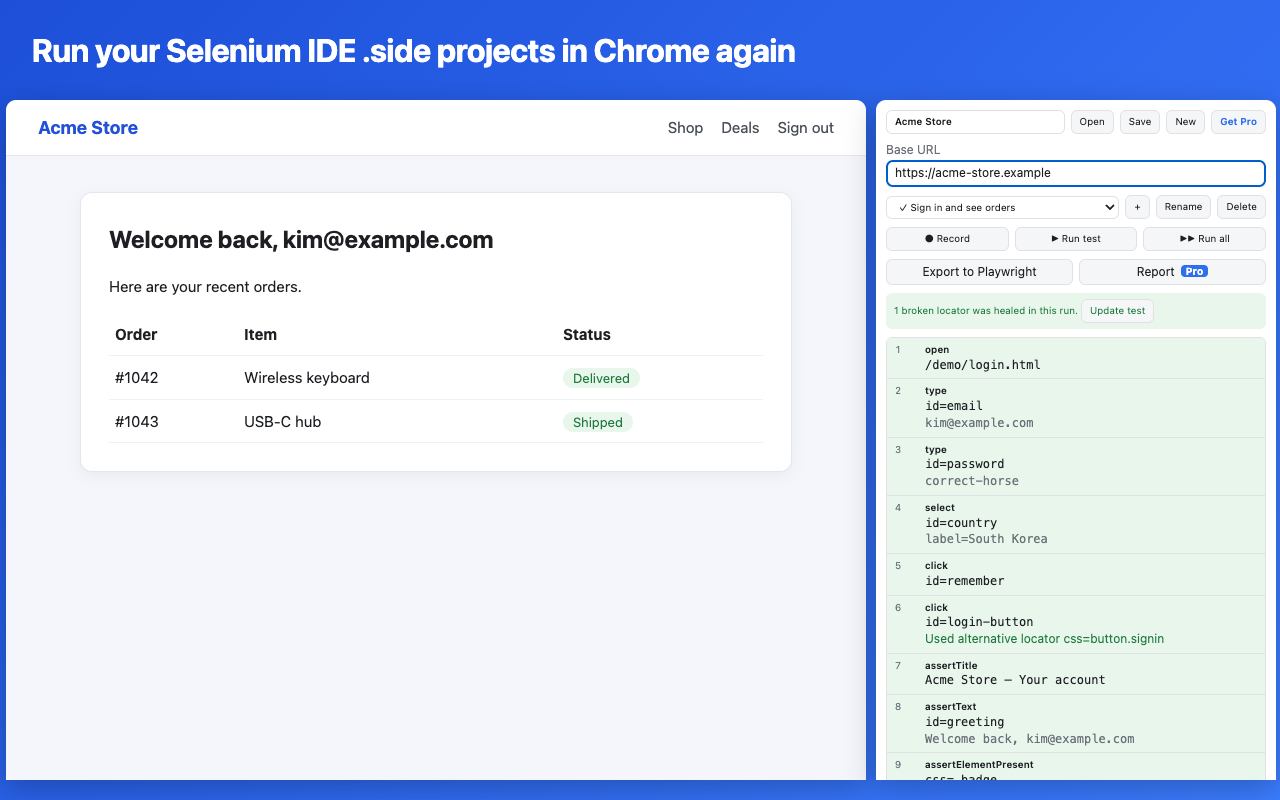
- Click the SideReplay icon in Chrome's toolbar. It opens in the side panel, next to the page you are testing.
- Click Open and choose your
.sidefile. Files from Selenium IDE 3.x and 4.x load as they are. - Open the site you test in the same window and click Run test. All 93 Selenium IDE commands are supported, including if/while/times/forEach, alerts, iframes and new windows. Anything that can't run is reported before the test starts.
- To record a new test, click ● Record and use the page. Click, type and select as usual; SideReplay saves several locators for each element.
Questions
Is SideReplay the official Selenium IDE?
No. It is an independent Chrome extension that reads and writes the same .side format. Selenium is a trademark of the Software Freedom Conservancy.
Will my old .side files work without changes?
Yes. Older command names are understood automatically when you run or export a test, and saving keeps any fields SideReplay doesn't use, so the file still opens in Selenium IDE.
My tests use runScript or executeScript. Do they work?
Yes, after you allow it once: open chrome://extensions, click Details on SideReplay and switch on "Allow User Scripts". Chrome requires this for any extension that runs scripts you wrote.
What does it cost?
Opening, running, editing, recording and fixing broken locators are free. Exporting whole projects to Playwright and HTML reports are part of Pro.
Is my data sent anywhere?
No. Tests stay in your browser. See the privacy policy.
Add SideReplay to Chrome