Katalon Recorder alternative: keep running your test suites in Chrome
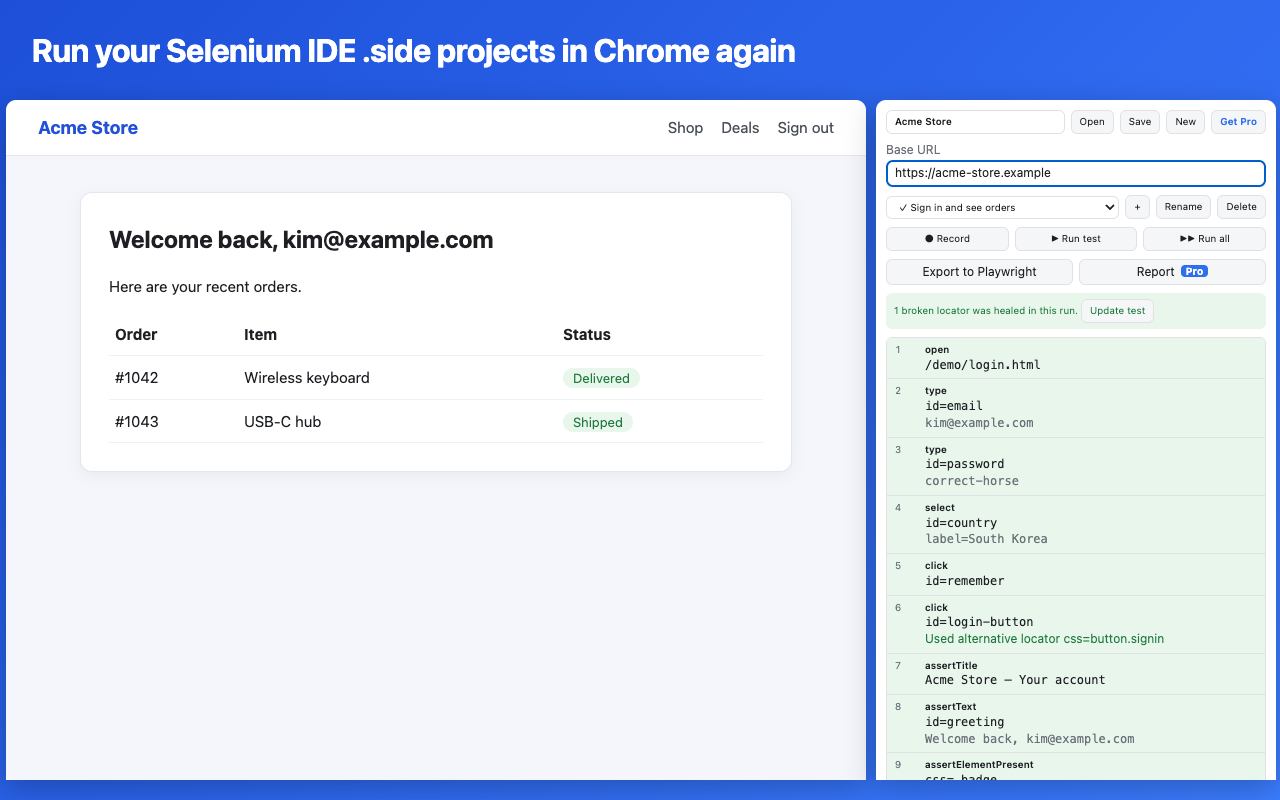
.html test suites Katalon Recorder saved and runs them as they are. It also records new tests and can export them to Playwright. Recording and playback are free.Add SideReplay to Chrome
SideReplay is an independent extension. It is not made by Katalon.
What happened to Katalon Recorder
In September 2026 its Chrome Web Store page was updated with a notice that the extension is no longer actively maintained, and that no further feature development, updates or security patches are planned. It still installs today, but if a future Chrome update breaks it, no fix is planned.
Your test suites are not lost. Katalon Recorder saves them as plain HTML tables, the same format that Selenium IDE 1.x and 2.x used, so another tool can read them.
Move your test suites to SideReplay
- Save every test suite from Katalon Recorder first. Its suites live inside the extension, so download each one as an
.htmlfile before you remove it. - Install SideReplay from the Chrome Web Store and click its toolbar icon. It opens in Chrome's side panel.
- Click Open and choose your
.htmlfile. Every test case in the suite comes in, with the backup locators Katalon Recorder saved for each step. You can select several files at once. - If your tests open relative addresses such as
/login, type your site's address into Base URL. - Click Run test. If a step can't run, SideReplay lists it before the test starts.
- Click Save to keep the suite as a Selenium IDE
.sideproject, which other tools can open too.
How older commands are handled
| In your Katalon Recorder suite | In SideReplay |
|---|---|
clickAndWait, typeAndWait and other …AndWait commands | The same command without AndWait. Every step already waits for the page. |
waitForPageToLoad, setTimeout, highlight | Kept, but turned off, because Chrome doesn't need them |
verifyTextPresent, assertTextNotPresent and similar | An element check on the page body that looks for the same text |
storeEval, storedVars['name'] | executeScript and ${name} |
if … endIf, while … endWhile | if … end, while … end |
Locators without a type, such as email or //button[1] | id=email and xpath=//button[1] |
Data-driven loops (loadVars), gotoIf and label | Not supported yet, and listed before the test runs |
What you get on top
- Locator healing. When a page changes and a locator stops matching, SideReplay tries the backup locators from your file, shows which one worked and can update the test in one click.
- Playwright export. Export a test or a whole suite to Playwright Test (TypeScript) when you are ready to move to code. Try it first with the free online converter, which also accepts Katalon Recorder files.
- Selenium IDE files too. SideReplay also opens
.sideprojects from Selenium IDE 3 and 4. See Selenium IDE alternatives.
Questions
Is SideReplay made by Katalon?
No. It is an independent Chrome extension that reads the HTML test suite format. Katalon and Katalon Recorder are trademarks of Katalon, Inc.
Does it change my original file?
No. SideReplay reads the file and keeps its own copy in your browser. Click Save to download it as a .side project.
Can I still use my data-driven tests?
Not yet. Katalon Recorder keeps the CSV data for loadVars inside the extension, not in the test file. SideReplay marks these steps as unsupported so you know which tests need changes.
What does it cost?
Opening, running, editing, recording and fixing broken locators are free. Exporting whole projects to Playwright and HTML reports are part of Pro.
Is my data sent anywhere?
No. Tests stay in your browser. See the privacy policy.
Add SideReplay to Chrome